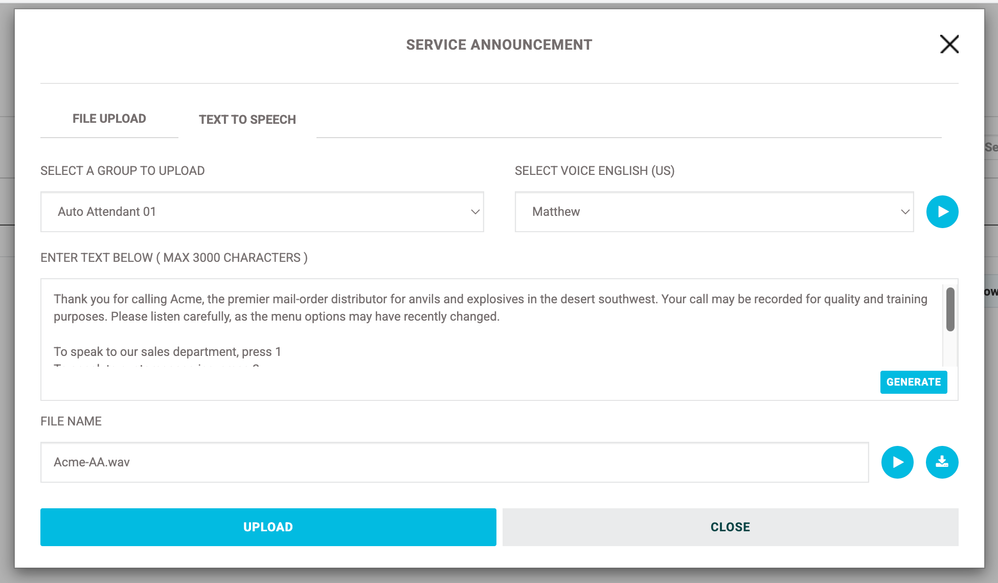
You can use text to speech in the Customer Admin Portal to create announcements for use in your PBX.
- Go to Enterprise Services > Announcement Repository
- Select the announcement category (Location Announcements, User Announcements, or Service Announcements"
- Select "Upload Audio File"
This opens the Upload menu.
- Select the "Text to Speech" tab
- Select a group where you'd like the message uploaded and the voice to use.
- Enter your text and press Generate.
Once the file has been created, you can rename it, play it, download a copy, or upload it.