Meet-Me Conferencing Feature Guide
Before the Call
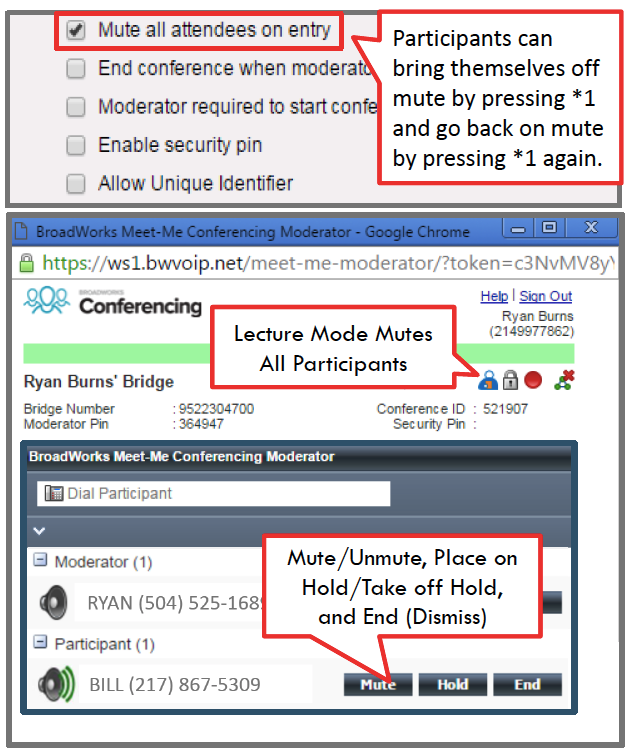
Go to Meet-Me Conferencing > Edit your Conference Bridge > Profile tab > Mute All Attendees on Entry.
During the Call
Go to Meet-Me Conferencing > Edit your Conference Bridge > Profile tab > Launch Moderator Client.
Moderators have three options for controlling callers during the call:
- Move the mouse over the participant and click Mute
- Put the participant on hold
- Drop a participant, which dismisses them from the call.
Note: In all three scenarios, the affected caller will hear an audio announcement that the moderator has muted, placed on hold, or dismissed the participant: