The Tools drop-down in Atlas grants powerful functions pre- and post-sale to you. In this article we will discuss four such tools.
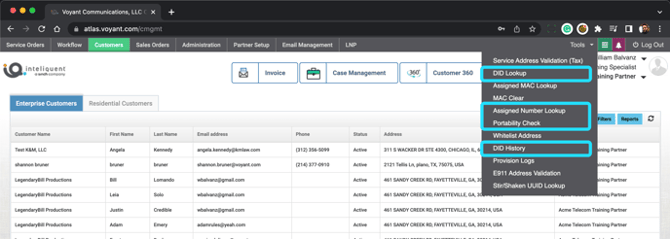
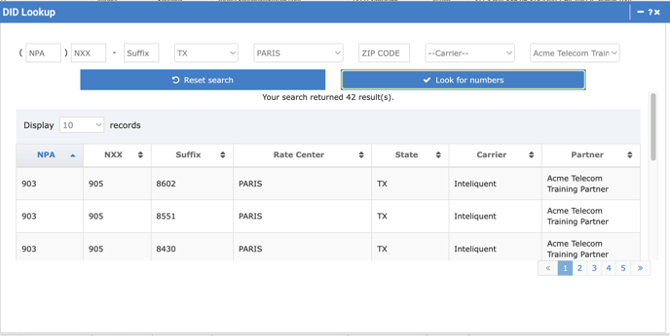
DID Lookup
You can use this tool to search for available DIDs by several parameters. Enter the information into the top fields then Look for numbers. It will return any results that fit the criteria enters and are available.
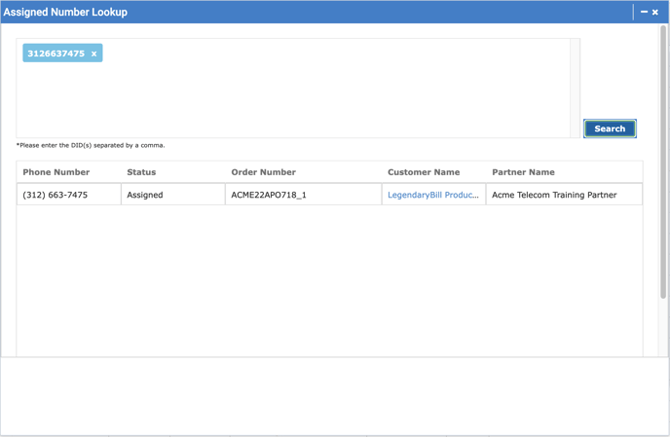
Assigned Number Lookup
Use this tool to see if a telephone number is currently in service in Atlas. Enter the number or numbers and press Search. It will return the data about any of the DIDs it finds in the system that match your lookup criteria.
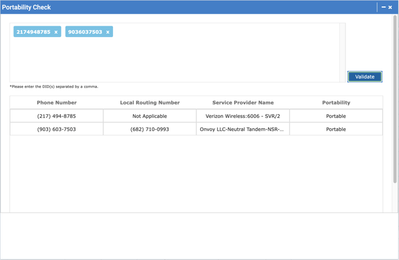
Portability Check
This will search the entered number or numbers to see if they are portable.
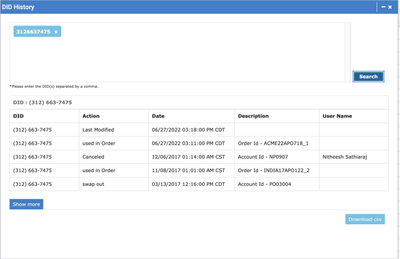
DID History
This tool will allow you to enter a number or numbers and search for all of the places they have been assigned in Atlas. This is very useful if you reuse temporary DIDs during porting.